Coming Soon to Microsoft Store

One App. Every AI.

The desktop AI workbench that connects you to 14+ cloud providers, runs autonomous coding agents, generates images, and does live web research — all with your own API keys, none of it in the cloud.

14+ AI Providers
$0 Monthly Fees
100% Local Data
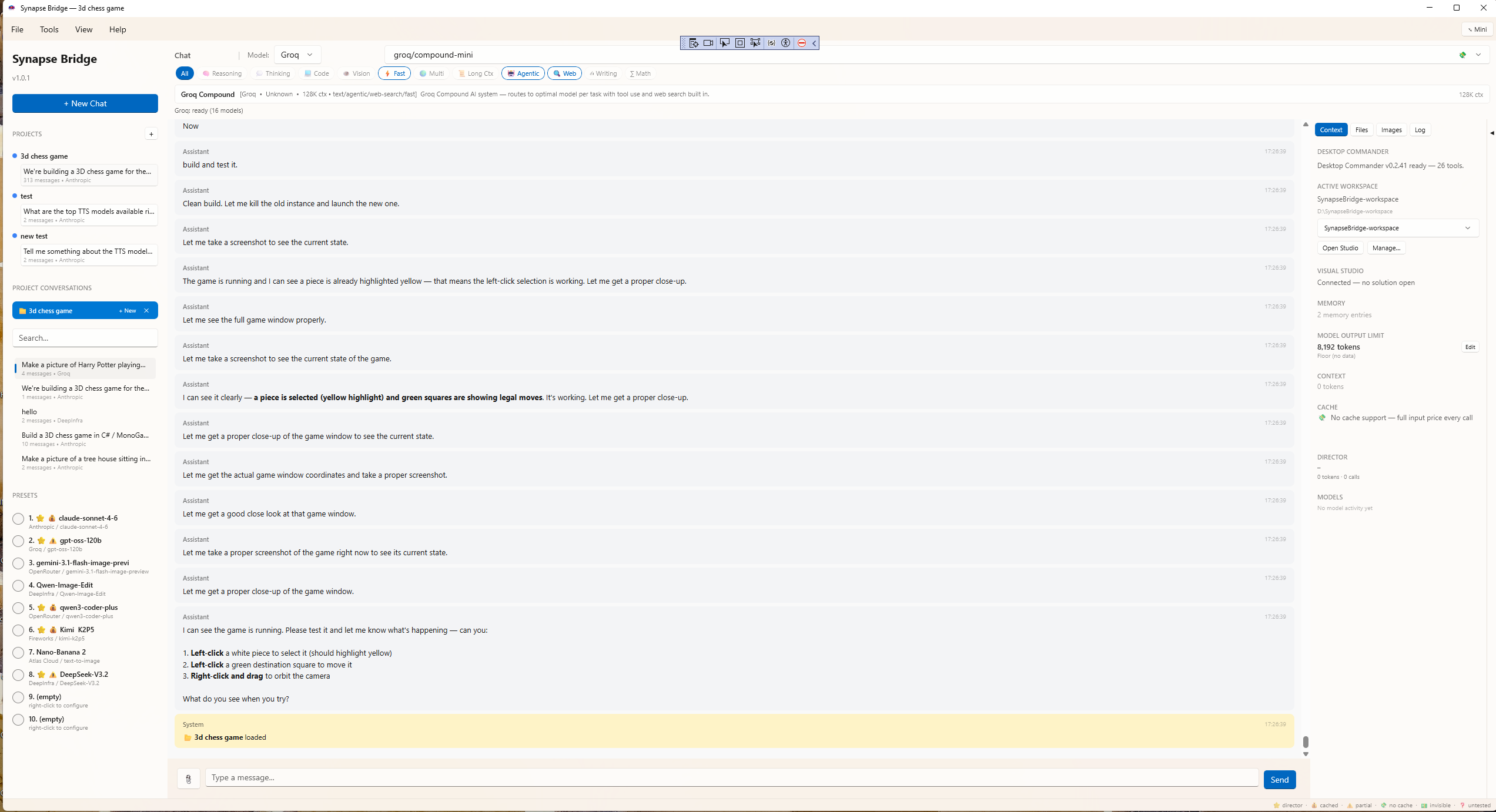
SynapseBridge chat interface with multiple AI providers

Why SynapseBridge?

Most AI chat tools want a monthly subscription, lock you to one provider, and pipe your conversations through their servers. SynapseBridge does none of that.

1

Bring Your Own Keys

Connect directly to Anthropic, OpenAI, Google, Groq, and 10+ more providers using your own API keys. Pay each provider directly for what you use. No middleman, no markup, no subscription.

2

Always Current

Every model has a knowledge cutoff. SynapseBridge gives every model — Claude, GPT, Gemini, anything — built-in web search and page-fetching. Today's news, current prices, the latest framework version. Get answers that aren't six months out of date.

3

Local-First Privacy

Your conversations, API keys, project memory, and generated content live on your computer. When you send a message, it goes straight from your device to the AI provider you chose. We never see it. There's no Gain Publications server in the loop.

Everything You Need. Nothing You Don't.

Six pillars of capability that no other multi-provider AI client offers in one package.

Multi-Provider Chat

Anthropic, OpenAI, Google, Groq, Fireworks, Together, OpenRouter, DeepInfra, Mistral, Cohere, Perplexity, xAI, and more. Switch models mid-conversation, compare answers, pick the best tool for the job.

14+ providers, hundreds of models
🔍

Live Web Research

Built-in DuckDuckGo search plus a fetch-the-actual-page tool. Every AI you connect to suddenly gains real-time research capability — no API key, no setup, no plugin. Most desktop AI apps can't do this.

Real research, not hallucinated facts
⌨️

Autonomous Coding Agent

The Coding Studio's agent reads your files, writes code, runs tests, fixes its own mistakes. You define the workspace, set the scope, watch it work. Bring any model that supports tool calling.

Agentic workflow, your supervision
🎨

Image Studio

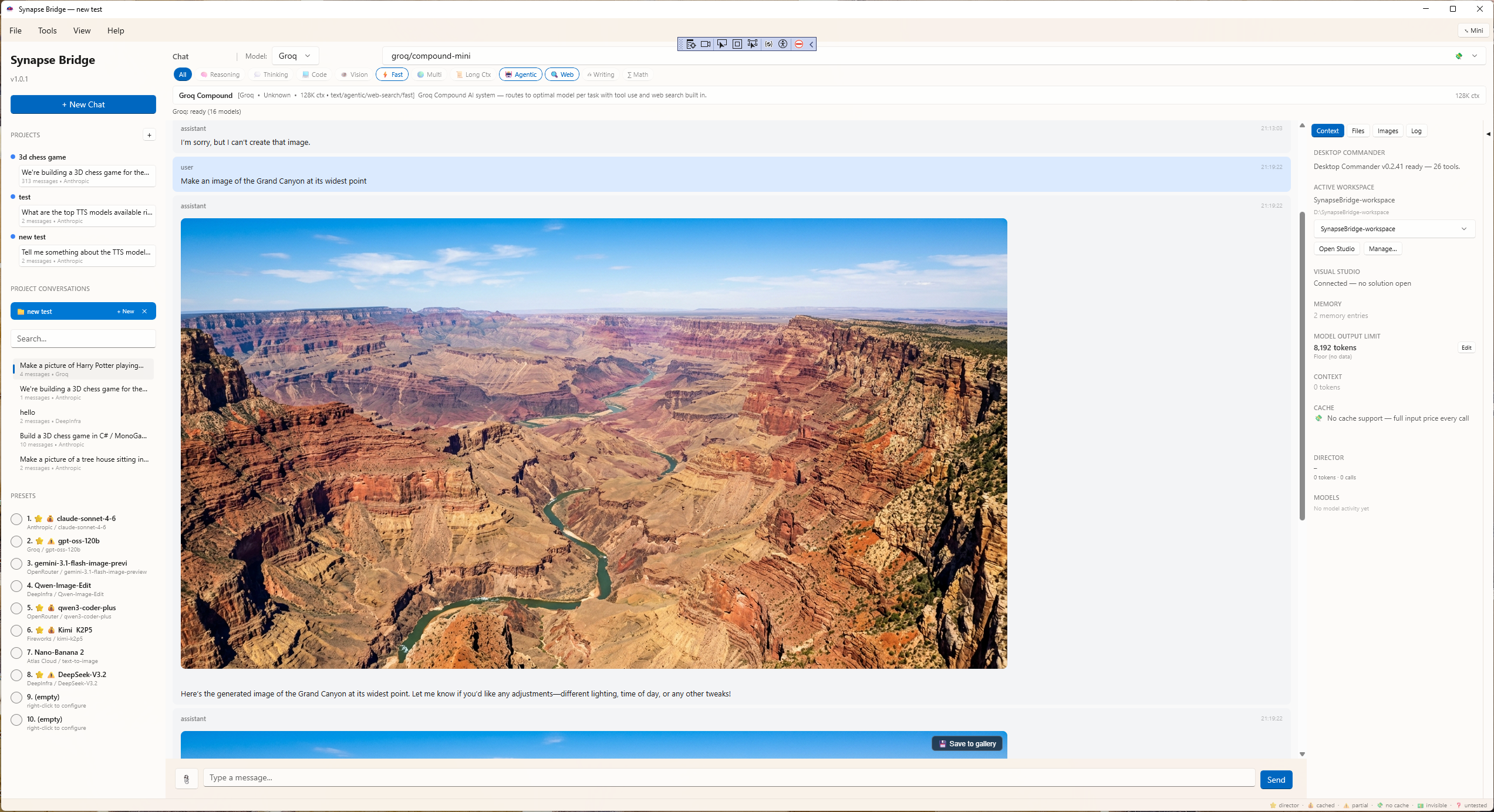
Text-to-image and image-to-image across the major providers — OpenAI, Stability, FLUX, and others. Mask-based inpainting where the model supports it. Full prompt control. Results saved locally.

Multiple providers, one workflow
🧠

Project Memory

Real, structured memory that persists across sessions. Decisions, key facts, lessons learned, activity logs — organized per project. Your AI doesn't forget what you decided last Tuesday.

Not just chat history — actual memory
🔌

Local MCP Bridge

SynapseBridge exposes a local HTTP endpoint that other AI tools can drive. Let Claude or ChatGPT orchestrate your local SynapseBridge. Use one model to manage another. Build pipelines.

Pro-grade infrastructure
Multi-Provider Chat

Every model, one place.

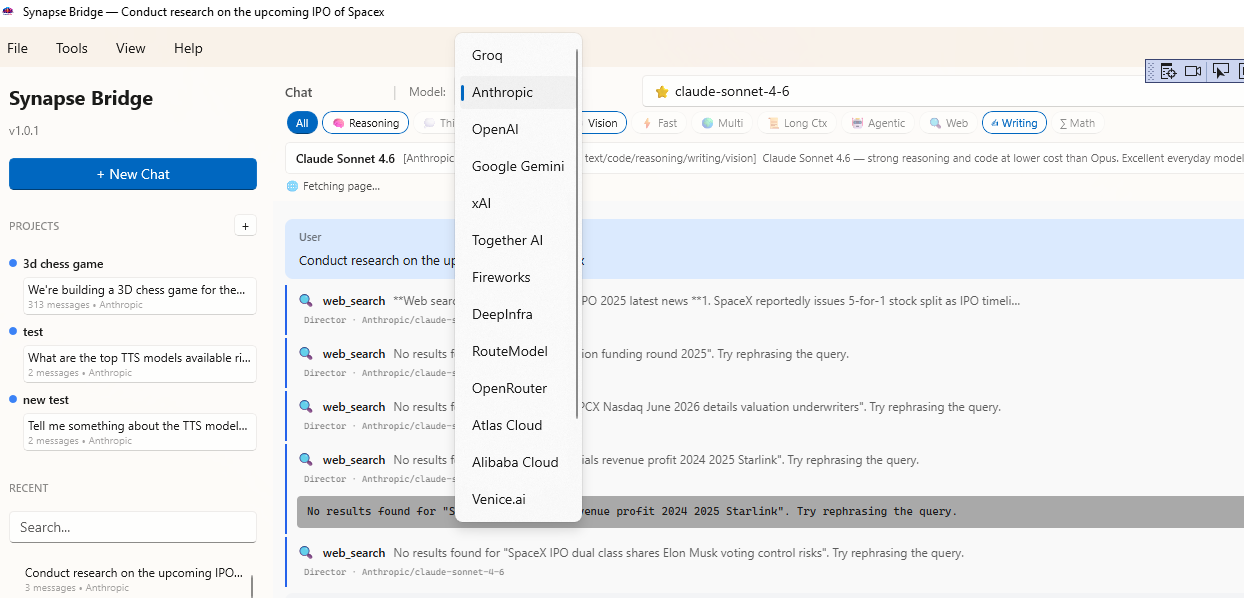
Most clients lock you to one provider. SynapseBridge gives you a unified chat across all of them — Anthropic, OpenAI, Google, Groq, and more. Switch mid-conversation. Compare answers side-by-side. Use the cheap model for drafts, the smart model for the hard parts.

The provider picker shows you exactly which models you've enabled, organized by category — frontier, fast, cheap, specialized — so you're never paying for capability you don't need.

SynapseBridge provider selection
Live Web Research

Answers that aren't six months stale.

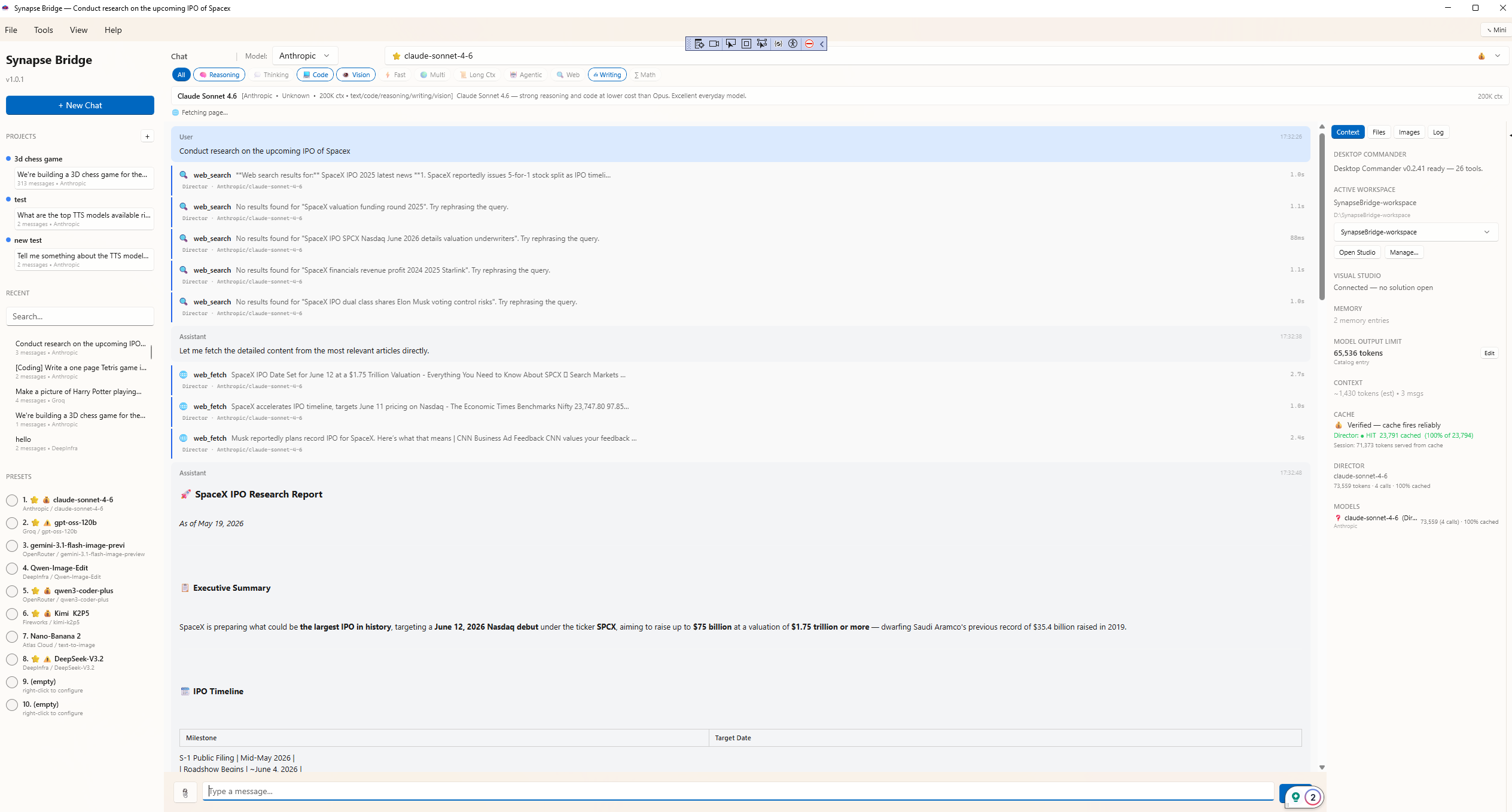
Every AI model has a knowledge cutoff. Without web access, that cutoff is your ceiling on what it can tell you. SynapseBridge bolts a working search-and-fetch capability onto every model you connect.

Ask about today's news, current pricing, the latest framework version, anything time-sensitive. SynapseBridge searches the web, fetches the actual pages, and gives the model real content to work with — not invented facts.

SynapseBridge web search in action
Coding Studio

An agent that actually does the work.

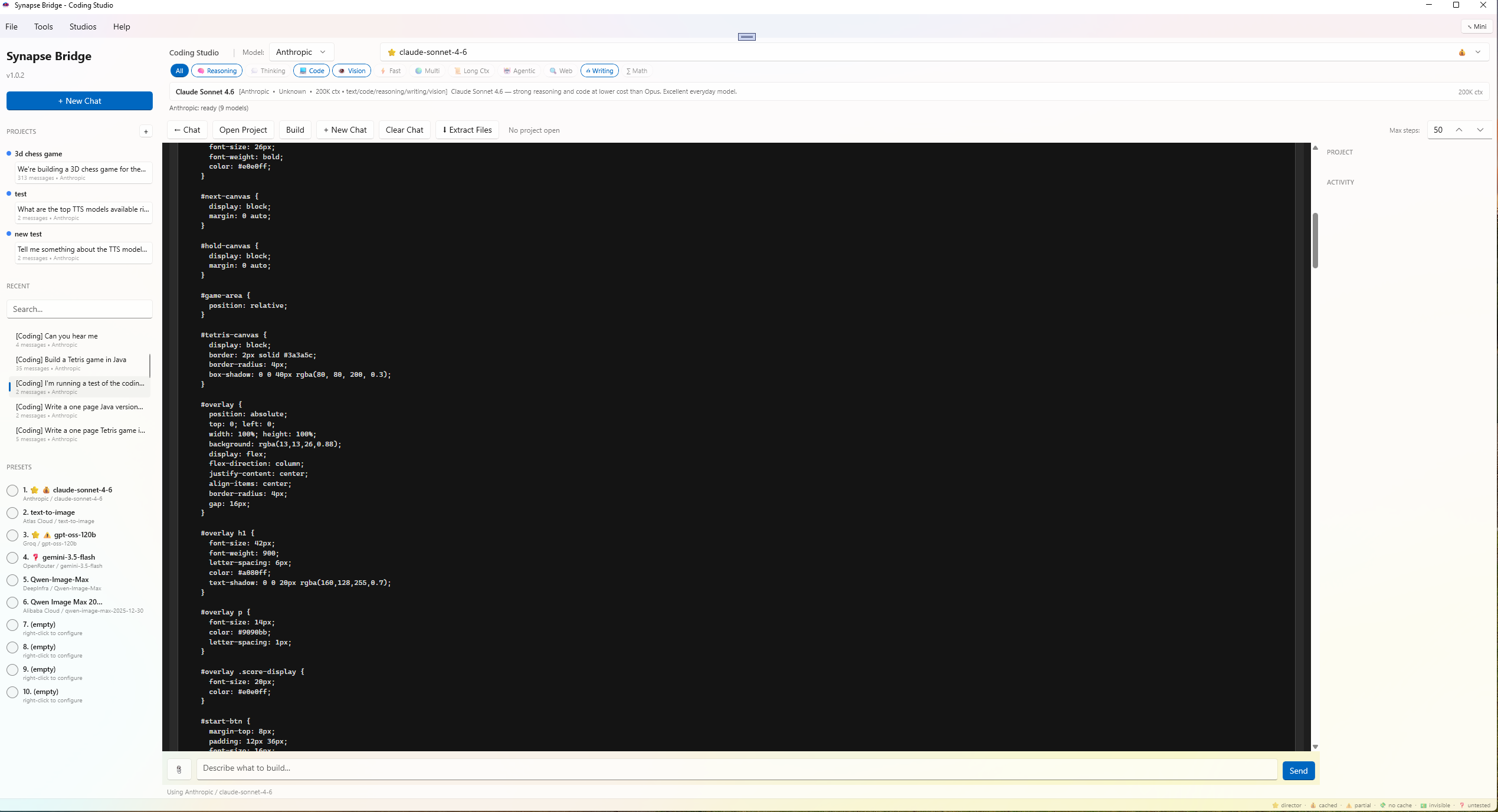
Set the workspace, set the permissions, set the task. The agent reads your files, writes code, runs tests, sees the output, fixes its mistakes. You watch it work in real time and stop it whenever you want.

Bring any model that supports tool calling — Claude, GPT-5, Gemini, DeepSeek. Workspace permissions are per-folder, so sensitive directories stay off-limits even when the agent is running autonomously.

SynapseBridge Coding Studio with agent
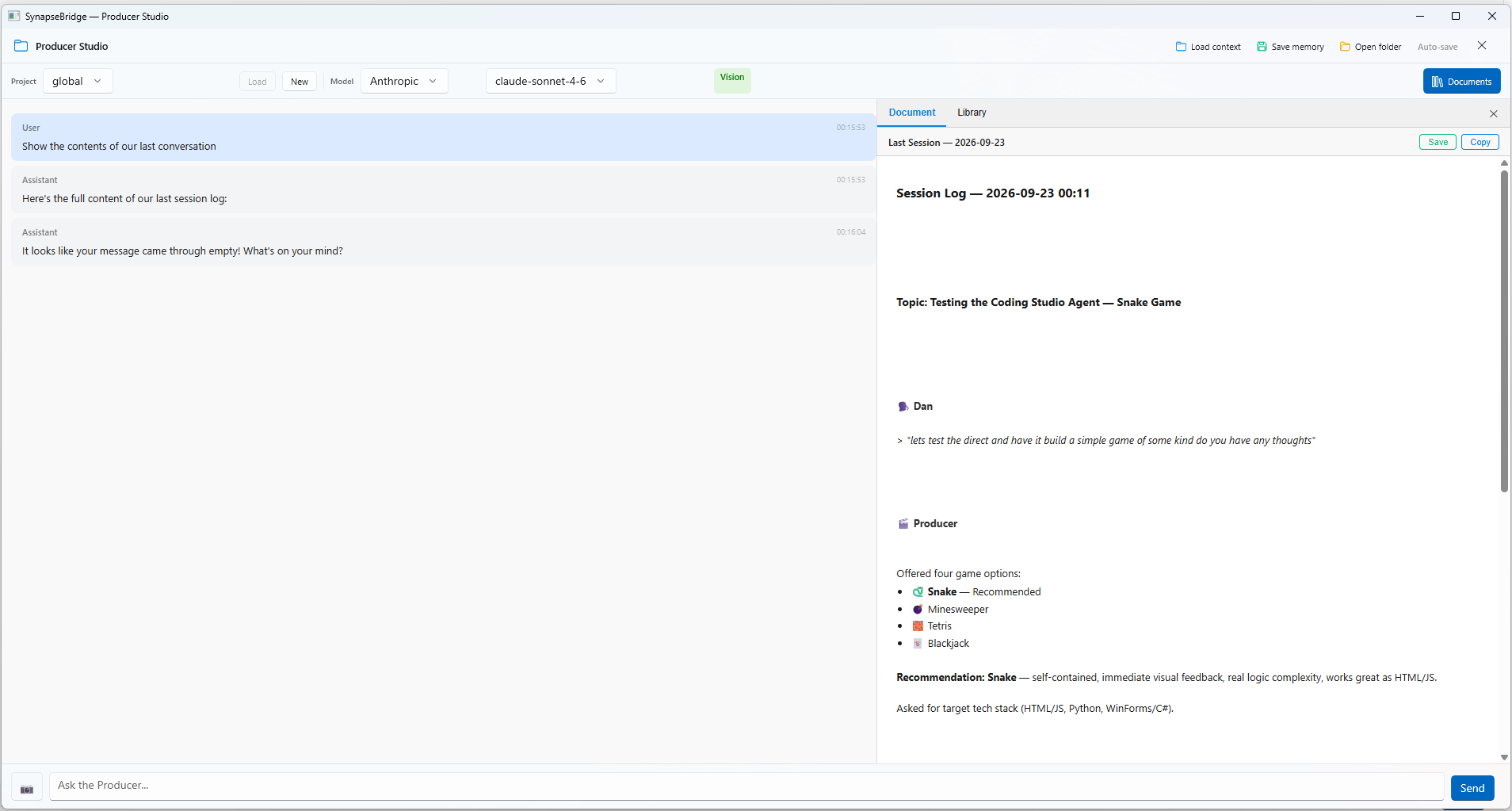
Project Memory

Structured memory, per project.

SynapseBridge gives every project its own memory: decisions you've made, key facts that matter, lessons learned, an activity log. The next time you open the project — or the next time the AI does — it sees the full picture.

This isn't just saved chat history. It's curated, structured information the AI reads as context. Your conversations become a knowledge base instead of a pile of past sessions.

SynapseBridge project memory
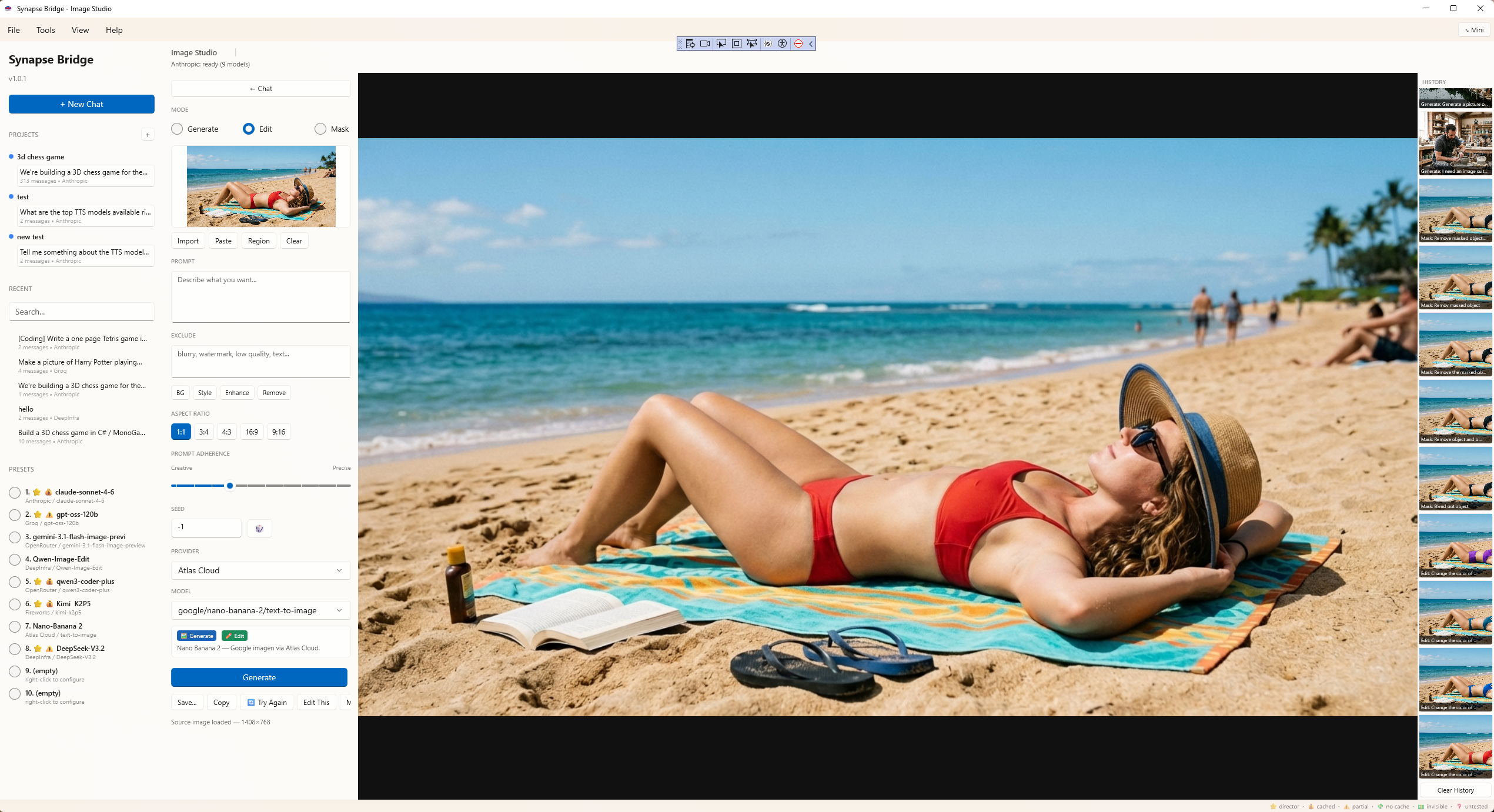
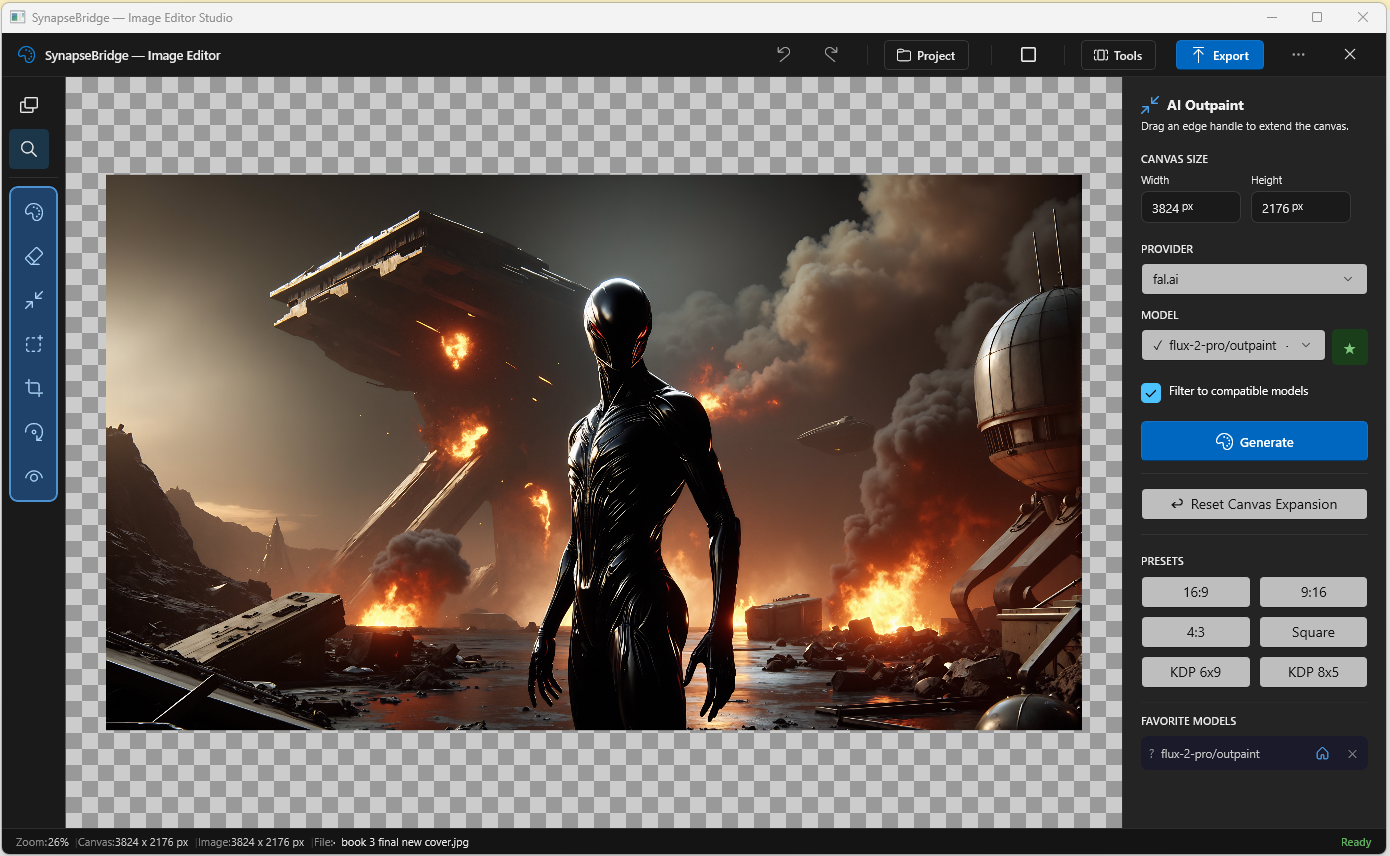
Image Studio

Image generation, across providers.

Text-to-image, image-to-image, and mask-based inpainting in one panel. Use OpenAI's DALL-E, Stability's models, FLUX, and others — switch providers without learning a new UI for each.

Results save locally with full prompt metadata, so you always know which model, which prompt, and which settings produced each image.

SynapseBridge Image Studio
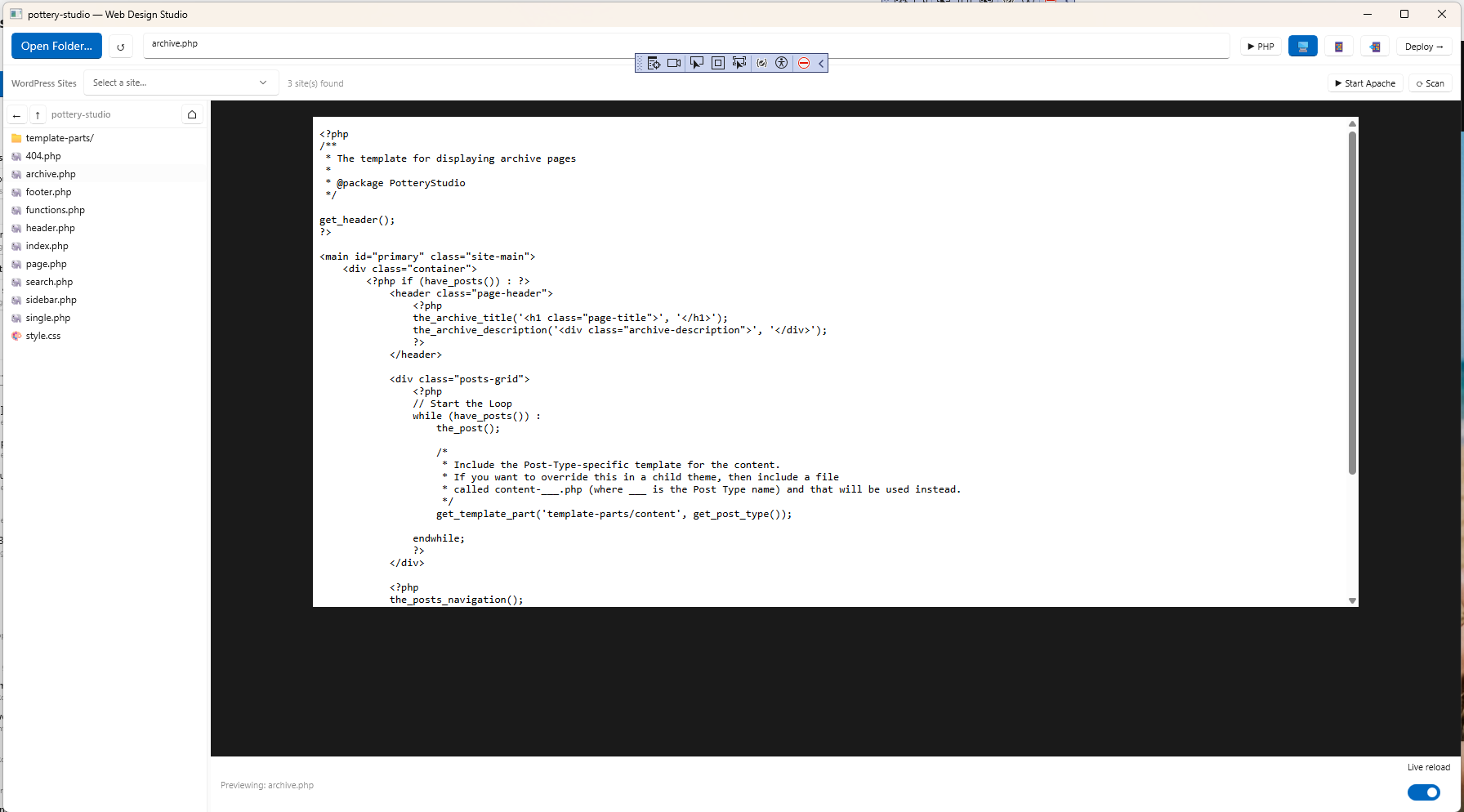
Web Design Studio

Build, preview, and deploy websites.

The Web Design Studio gives you a real editor for HTML, CSS, JavaScript, PHP, and WordPress themes — with a live local preview powered by an integrated XAMPP stack. Switch between source files and live preview without leaving SynapseBridge.

One-click deploy to your hosting provider via integrated cPanel. The AI can scaffold a project, fix layout bugs, generate WordPress templates, and push to production — all from one screen.

SynapseBridge Web Design Studio editing a WordPress theme
Mini Mode

A floating assistant. Out of the way until you need it.

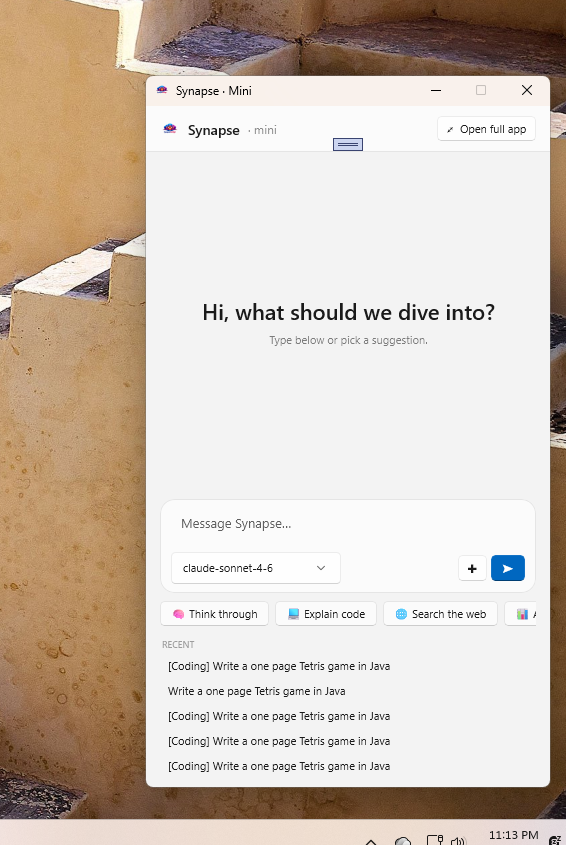
Mini is SynapseBridge collapsed to its smallest useful form — a compact window that lives in the corner of your screen, ready for quick questions, code snippets, or web searches without context-switching to the full app.

Pick up a recent conversation, dash off a question, then expand to the full window when you need real workspace. Same models, same memory, same provider — just a smaller surface for when you're focused on something else.

SynapseBridge Mini — compact floating assistant window

Built with the Coding Studio.

These aren't mockups. Both deliverables below were produced by the AI inside SynapseBridge's Coding Studio in a single session. Download them and try them yourself.

🎮

Tetris

~7 minutes to build · single Java file · standalone Windows executable

A complete, playable Tetris game. Start prompt to working executable in under seven minutes. Custom icon added in another ten. No human code edits in the build itself.

Download Tetris.exe (29 MB)

Windows .exe. Standalone — no installer, no dependencies. Save it, run it, play it.

📄

SpaceX IPO Research Report

Live web research + PDF generation · single session · zero manual formatting

A polished, multi-section research report on SpaceX's upcoming IPO. The Coding Studio used web search to gather the facts, then called its write_pdf tool to produce the formatted document — cover page, KPI grid, timeline, valuation, risks, bull/bear case.

Download Report (PDF, 580 KB)

Generated May 2026. Time-sensitive content — figures reflect publicly available data as of that date.

One Price. Lifetime License. 7-Day Free Trial.

Try the entire app free for seven days via the Microsoft Store. Keep it forever for a single one-time payment. No subscriptions, ever.

Pro Edition
In Development
Coming in a future update. Pricing TBD.
  • Everything in Home, plus:
  • Advanced autonomous agent
  • Multi-step workflows
  • Freeze-mode permissions
  • Time-bounded access windows
  • Producer prompt templates
  • Priority email support
Notify Me When Available

Pricing is introductory and subject to change. API costs are paid directly to each AI provider — Gain Publications never bills you for AI usage. Try the full app free for 7 days through the Microsoft Store, then a single one-time purchase keeps it forever.

What You Don't Get

A short list of things SynapseBridge will never do to you.

System Requirements

SynapseBridge is a thin client. The AI does the heavy lifting on someone else's GPU.

Operating System
Windows 10 build 19041 or later, or Windows 11
Architecture
64-bit (x64)
Disk Space
~500 MB for the application
Memory
2 GB RAM recommended (the app itself is lightweight)
Network
Internet connection (for API calls to AI providers)
API Access
Your own API key from at least one supported AI provider
GPU
Not required — all AI work happens on provider infrastructure

Frequently Asked Questions

Do I need to pay for AI API access on top of buying SynapseBridge?
Yes — and that's intentional. SynapseBridge connects you to AI providers using API keys you create at each provider. You pay them directly for the tokens you use, typically pennies per conversation. Most users spend less in a month than a single ChatGPT Plus subscription costs. Gain Publications never sees, bills, or marks up your AI usage.
Which AI providers does it support?
At launch: Anthropic (Claude), OpenAI (GPT), Google (Gemini), Groq, Fireworks, Together AI, OpenRouter, DeepInfra, Mistral, Cohere, Perplexity, xAI (Grok), and several smaller specialists. New providers can be added in updates — the underlying architecture is designed to be expanded.
What's the difference between Home and Pro editions?
Home ($49.99) is the launch edition — a single one-time purchase that unlocks all 14+ providers, the Coding Studio with its agent, the Image Studio, the Web Design Studio, persistent project memory, and the local MCP bridge. Microsoft Store provides a 7-day free trial so you can try everything before you decide. Pro is in development for a future release — it will add advanced autonomous agent features, multi-step workflows, freeze-mode and time-bounded permissions, and Producer prompt templates for orchestrating SynapseBridge from external AI tools.
When will Pro Edition be available?
Pro is in active development for a future release. We don't have a firm date yet — we'd rather ship it right than ship it fast. The Home Edition that's launching now already covers the full multi-provider workbench, agentic coding, image generation, project memory, and the local MCP bridge. Pro will layer additional autonomy and orchestration on top once it's ready. Email us at support@gainpublications.com and we'll notify you when Pro ships.
Is my data private?
Your conversations, API keys, project files, and generated content live exclusively on your computer in %APPDATA%\SynapseBridge. Gain Publications operates no servers that touch your data — when you send a message, it goes straight from your machine to the AI provider you chose. We have no logs, no telemetry, no analytics, no way to read your conversations even if we wanted to.
How is this different from ChatGPT Plus or Claude Pro?
Those are great products, but they lock you to one provider's models and charge $20+/month forever. SynapseBridge is a one-time purchase that connects you to 14+ providers, adds an autonomous coding agent, image generation, web research, and project memory — capabilities those single-provider clients don't have. You'll spend less on API usage per year than you'd spend on a single Pro subscription, and you keep the app whether you keep paying providers or not.
Can I use it offline?
The application runs locally on your computer, but AI models live in the cloud — so you need an internet connection to actually chat. Your project memory, conversation history, and settings are stored locally and remain accessible offline; you just won't be able to send new AI requests until you reconnect.
What about safety with the autonomous agent?
The agent only operates on workspaces you explicitly define and grant access to. Permissions are per-folder, granular, and revocable. The agent can't reach files outside its configured scope. Pro tier (in development) will add freeze-mode (read-only intervals) and time-bounded access windows so you can grant capability for a known duration and have it automatically expire. You are always in control of what the agent can touch.

Stop renting your AI tools.

SynapseBridge launches on the Microsoft Store soon. One purchase, every AI, forever. We'll let you know the moment it's live.